A waitlist feels like proof. You have a counter on the landing page, a spreadsheet of emails, and a launch date. Then launch day arrives, you send one "We're live!" email to everyone, and the clicks look nothing like the signup number.
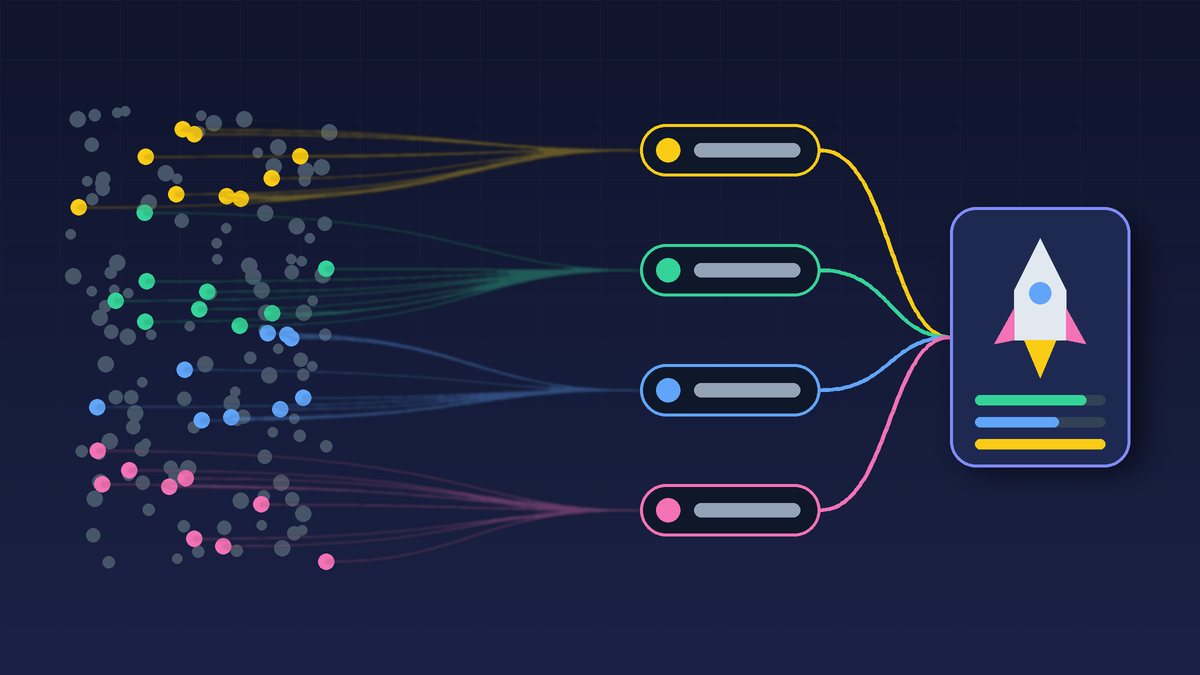
That gap is normal. Some people joined out of curiosity months ago. Some typed a throwaway address. Some are classmates and fellow founders who were being kind. A few are exactly the users you built the product for, and they are the ones a generic blast serves worst.
This guide covers the handoff: the two or three weeks where a waitlist stops being a number and becomes a set of people you contact on purpose. It is written for early-stage Indian founders and indie hackers, but nothing here depends on geography.
Quick answer
To turn a waitlist into launch-day users:
- Audit the list. Remove bounces and obvious junk, then note where each signup came from.
- Segment it into beta users, high-intent prospects, curious subscribers, and your personal network.
- Send three short emails per segment: a reminder a few days before, a launch-day email with one clear action, and a follow-up after.
- Prepare listing assets and answers before the day, so launch morning is spent replying, not writing.
- Measure qualified signups and replies, not just upvotes.
Step 1: Audit the waitlist before you trust it
Before treating the list as a launch asset, export it and look at it honestly. Useful columns:
- Signup date. Someone who joined last week remembers you. Someone who joined eight months ago probably does not.
- Source. A community post, an ad, a referral, a friend's WhatsApp forward or a directory listing. Paid and giveaway signups usually convert worse than people who found you while looking for a solution.
- Engagement. Did they open earlier updates, reply, answer a survey, or ask for early access?
- Fit. Does the email domain, role or note suggest your target customer? A B2B tool for clinics should care more about the twelve clinic owners than the three hundred students.
Then clean it. Drop hard bounces and addresses that are clearly fake. If you have never emailed the list before, send a small first batch and watch for bounces before mailing everyone.
Clean lists matter for deliverability too. Google's email sender guidelines require every sender to Gmail accounts to set up SPF or DKIM, keep spam rates reported in Postmaster Tools below 0.3%, and support one-click unsubscribe with a visible unsubscribe link in marketing and subscribed messages. A launch email that lands in spam doesn't help anyone. If email is new to your team, our guide to email marketing for Indian startups covers the setup basics.
Step 2: Segment by intent, not by size
A single list gets a single, vague message. Four segments get four useful ones.
Beta users
People who have used the product or sat through a demo. They can describe the product in their own words and point out the rough edges. Ask them for specific feedback and, if they are happy, an honest public comment.
High-intent prospects
People who replied, asked a question, requested access or clicked through earlier updates. Invite them to try the product, and give them the shortest path from email to first value.
Curious subscribers
Joined, never engaged. They need the plainest possible explanation of what the product does and who it is for, because they have probably forgotten.
Founders, friends and community
They'll support you, and that matters. Ask them to try the product and say what they actually think, not just to upvote it. Keep them separate in your numbers so their enthusiasm does not get mistaken for customer demand.
If a segment is tiny, merge it. The point is to send different messages, not to build a CRM project the week before launch.
Step 3: The three-email handoff
Keep every email short, personal and plain-text in tone. One sender name, ideally the founder.
Email 1: the reminder (3–5 days before)
Remind them why they joined, say what is launching and when, and tell them to look out for one more email. For example:
You joined the waitlist for [product] because [problem]. We open access on [date]. I'll send you the link that morning, and if this still matters to you, I'd really value your honest take.
This email also tests deliverability and tells you which segments are still awake.
Email 2: launch day
Give the link, explain the value in one sentence, and ask for one action. Trying to get a signup, a comment, a share and a purchase from the same email weakens all four. Pick by segment:
- Beta users: leave honest feedback or a comment.
- High-intent prospects: start the free plan or book a demo.
- Curious subscribers: try the one feature that shows the value fastest.
- Network: try it and tell you what confused them.
Email 3: the follow-up (1–3 days after)
Thank people, share what you learned or fixed, and invite anyone who missed launch day to try it now. This is the email most founders skip, and it often reaches the people who were busy on the day itself.
Step 4: Have assets and answers ready before the day
Launch morning is for replying. Everything you'd otherwise write under pressure should already exist. Our startup directory submission checklist covers the full asset list. The pieces that matter most for a waitlist handoff are below.
Platform limits. Each launch platform has its own fields. Product Hunt's preparing for launch guide sets a 60-character tagline and a 500-character description. It says shortened and tracking links (such as bit.ly or UTM-tagged URLs) are not accepted in the product URL field. It also lets you schedule a launch up to a month ahead, and because its homepage runs on a 24-hour Pacific-time cycle, it suggests 12:01am PST as a default. For Indian teams that is early afternoon IST, so plan who is online to reply. The same guide is clear that there is no "golden-ticket" day or time.
A SuperLaunch listing, if you qualify. SuperLaunch is a directory of DPIIT-recognised startups. A submission is free and asks for your legal entity details, your DPIIT Certificate of Recognition number and certificate PDF, a category and a one-line tagline of up to 120 characters. SuperLaunch checks the certificate against the legal entity automatically: startups that match are published straight away, and anything that cannot be matched goes to a person for review, so submitting does not guarantee a listing. Submit well before your launch week so an approved profile can sit alongside the rest of your launch links.
A prepared answer sheet. Draft short answers to the questions you'll be asked: who it's for, how it's different from the current workaround, whether there's a free plan, what happens after signup, which integrations exist, and what's next. Use them as notes, not copy-paste replies.
A founder note. Explain why you built it, who it helps, what works today, and what feedback you want. Specific beats excited.
Step 5: Run launch day like a small control room
Decide who owns what before the day starts:
- Replies: one person answers comments and emails quickly, in a human voice.
- Product health: one person watches signup, login and payment or demo booking on mobile.
- Support: someone monitors the inbox and fixes broken links straight away.
- Notes: someone records every question and objection, word for word.
For a small team, that might be just two people switching roles. What matters is that nobody is writing the launch email while a broken signup form loses the visitors it brought in.
Step 6: Measure what the waitlist actually did
Public rankings are a weak signal on their own. Track by segment:
- confirmed signups and activations
- replies and specific feedback
- demos booked or trials started
- unsubscribes and bounces
- the three most common questions
Once you can compare segments, you know where your next users will come from. If beta users activated and curious subscribers did not, your landing page probably explains the product to insiders only. Fold the lessons into a short post-launch review, and use the questions you collected to fix your onboarding and FAQ.
Common waitlist handoff mistakes
- Sending one generic "we're live" email to everyone.
- Counting friends and giveaway signups as customer demand.
- Asking only for upvotes.
- Writing the description, tagline and first comment on launch morning.
- Launching before the signup path works on a phone.
- Going silent after launch day.
FAQ
How big should a waitlist be before launch?
There is no magic number. A list of 80 people who match your target customer and replied to an update is more useful than 2,000 people from a giveaway. Judge the list by engagement and fit, not size.
Should I email the whole waitlist at once?
Not on the first send. Send a small batch first to check bounces and spam placement, then mail the rest by segment. This protects your sender reputation and lets you fix a broken link before most people see it.
Is a waitlist proof of demand?
It is an early signal. Replies, beta usage, demo requests and paid conversions are stronger evidence. Treat the waitlist as a starting list of people to talk to.
Should I launch on Product Hunt and a startup directory on the same day?
Only if you have the people to handle replies on both. A directory listing like SuperLaunch is a long-lived profile rather than a one-day event, so it can go live before or after a Product Hunt day. Our MVP launch checklist and beta launch strategy guide cover the sequencing in more detail.
What should I do with people who never open my emails?
Send the reminder and the launch email. If they don't engage with either, stop emailing them for now. Repeatedly mailing inactive addresses hurts deliverability for everyone else on your list.
The handoff checklist
- List exported, bounces and junk removed, sources noted
- Segments defined: beta, high-intent, curious, network
- Reminder, launch-day and follow-up emails drafted per segment
- One action per launch-day email
- SPF/DKIM set up and unsubscribe link working
- Platform fields written within their limits
- Answer sheet and founder note ready
- Owners assigned for replies, product health and support
- Segment-level metrics ready to record
A waitlist is a list of people who once raised their hand. The handoff is about treating them that way.
Sources
- Product Hunt, "Preparing for launch": https://www.producthunt.com/launch/preparing-for-launch
- Product Hunt launch guide: https://www.producthunt.com/launch
- Google Workspace Admin Help, "Email sender guidelines": https://support.google.com/a/answer/81126